Paolo Ardoino on local AI: highlights from the QVAC AMA
Paolo Ardoino answered the community’s questions about QVAC and local AI: why AI should run on the devices people own, who pays for the compute and what a cheap phone can do today.
Read More
Your coding agent can already build almost anything you describe to it. But ask it for an AI feature and it reaches for the same thing every time: a cloud API key, a per-token bill, and your users' data leaving their device for someone else's servers. It does not have to work that way. The AI can run on the device itself, private, offline, and free to run, and your agent can write that code for you. You just have to know how to point it. That is what this guide is for.
You do not need to learn an SDK by heart to build a local AI app. You need to understand what local AI is good and bad at, know what is possible, and hand your coding agent the right context so it writes the code for you. This is that orientation: the trade-offs of running AI on your own hardware, the many things the QVAC SDK can do, a set of app ideas, and how to point your agent so it builds correctly. Almost no code here, on purpose.
Building this way? QVAC.md is the one file that makes your agent write QVAC code that runs the first time. Get it below.
For coding agents
The drop-in file that gives your coding agent the real QVAC SDK API, the model-type rules, and the gotchas that stop it hallucinating. Enter your email and download it now.
This is not a copy-paste tutorial. You will not be pasting large code blocks. So this guide gives you the three things a builder actually needs:
Local AI means the model runs on your hardware (or your user's device), not behind a cloud API. That single fact creates real constraints and real advantages. Knowing both is how you choose good projects.
Reach for local AI when privacy, offline use, always-on operation, high volume, or cost are what matter. Reach for a frontier cloud model when you need maximum reasoning or breadth and the data is not sensitive. Many of the best products use both: local for the private, high-frequency path, cloud for the occasional hard question.
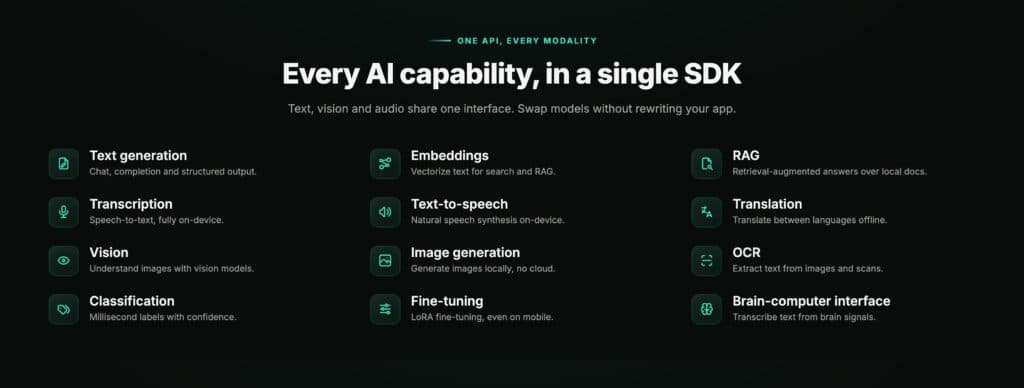
QVAC is Tether's open-source local-AI SDK. One npm install gives you twelve AI tasks behind one consistent API, all running on-device:
The point is the consistency: your agent learns the pattern once and can reach for any of the twelve.
You do not build "an AI feature", you build a product. A few that play to local AI's strengths, each one you would simply describe to your coding agent or harness:
Want to see real builds on QVAC? OpenClaw runs a fully local, private AI assistant, and you can even run your own coding agent on a local model with OpenCode. Pick an idea, describe its first slice to your agent, and iterate.
The whole workflow is short:
The same QVAC code runs on desktop (macOS, Linux, Windows via Node) and on mobile (iOS and Android, native, via Expo). A few things worth telling your agent up front:
Get QVAC.md for your coding agent. Drop your email and we will send you QVAC.md, the drop-in file. Paste it into your agent and start building.
Any of them. Cursor, Claude Code, Cline, Aider, OpenCode, or any harness that reads project rules or takes a system prompt. QVAC.md tells you where to paste it for each.
No. QVAC uses your GPU when one is available (Metal, NVIDIA, AMD, Intel) and falls back to CPU otherwise. Small models run fine on a laptop CPU; larger models are much faster with a GPU.
A model that fits on your device is smaller, so on the hardest reasoning and the broadest knowledge it is weaker than a frontier cloud model. In exchange it is private, offline, free to run, and always on. Pick the right tool for the job, and feel free to combine both.
No. After the model downloads once, inference happens entirely on-device. No API call, no prompt logging at run time.
Yes. The same code runs natively on iOS and Android through Expo, on the device hardware. Use a smaller model to fit the phone's memory. MedPsy is one example of a model built to run there.
The SDK is Apache 2.0 and free, including commercial use. It is JavaScript and TypeScript, on Node 22.17+, Bare 1.24+, and Expo 54+.
None of this is a big commitment. You are not adopting a framework, you are giving your agent the right context and letting it build.
The intelligence in the app you ship will not be rented from a server you do not control; it will run where your code runs, on hardware someone already owns.
Pick one small idea, have it run entirely on-device, and you will feel the difference the first time it answers with the wifi off.
QVAC is Tether's open-source local-AI SDK. Apache 2.0.
Paolo Ardoino answered the community’s questions about QVAC and local AI: why AI should run on the devices people own, who pays for the compute and what a cheap phone can do today.
Read More
TranscribePsy is a 254M-parameter speech recognition model that turns speech into text on a phone or a laptop, in 25 European languages on a laptop and 8 on a phone.
Read More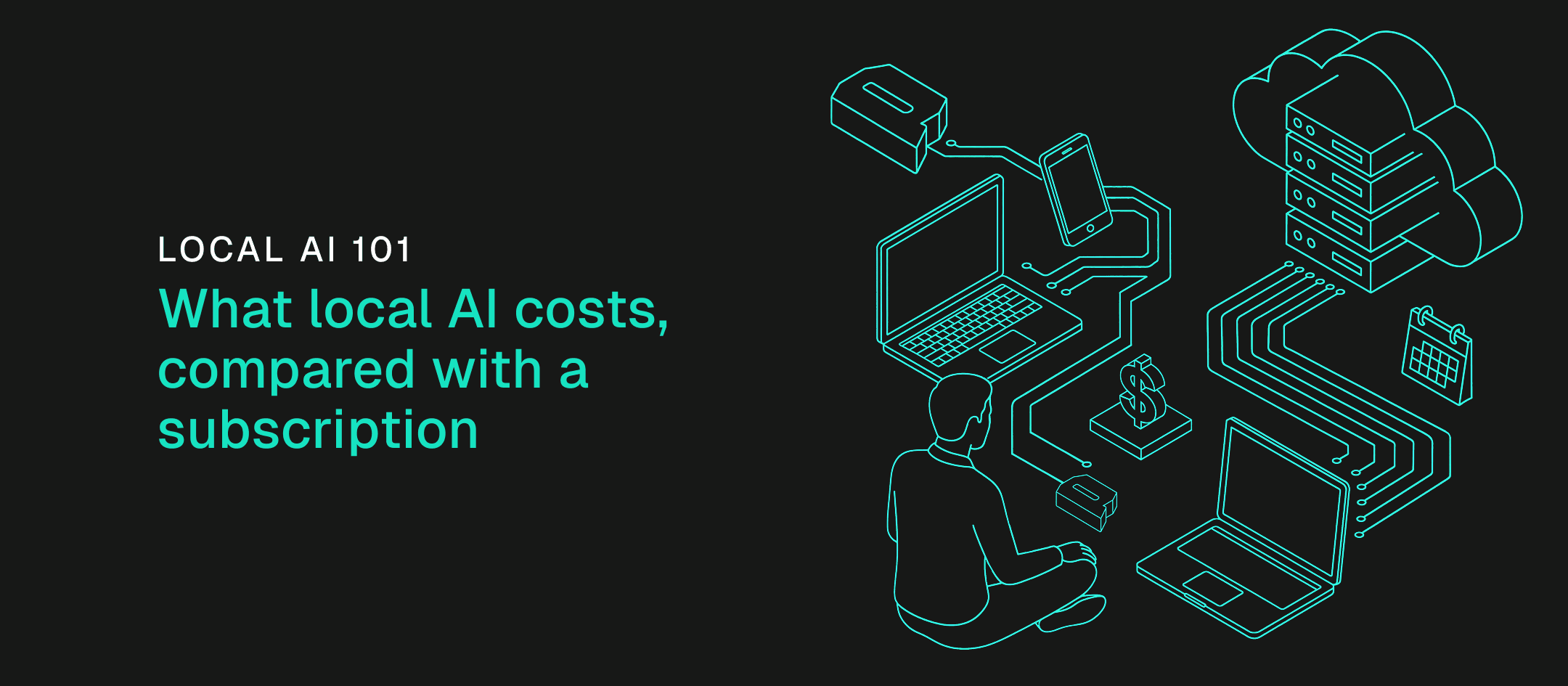
We priced four usage profiles by the tokens they burn each month to find when your own machine costs less than an API or a subscription, and which machine each profile needs.
Read MorePaolo Ardoino answered the community’s questions about QVAC and local AI: why AI should run on the devices people own, who pays for the compute and what a cheap phone can do today.
Read MoreTranscribePsy is a 254M-parameter speech recognition model that turns speech into text on a phone or a laptop, in 25 European languages on a laptop and 8 on a phone.
Read MoreWe priced four usage profiles by the tokens they burn each month to find when your own machine costs less than an API or a subscription, and which machine each profile needs.
Read MoreStay updated
New versions, breaking changes and migration notes - straight to your inbox. No spam, unsubscribe anytime.